Room Reservation
Faculty, staff, and students of the university.
1. From library opening time until 20 minutes before closing time.
2. Under special circumstances, the library may adjust the opening hours after making an advance announcement.
(1) University faculty, staff, or students (hereinafter referred to as "borrowers") with at least one person using the space.
(2) Borrowers who intend to use the library's multimedia audiovisual materials with at least one user present.
2. Group Discussion Room III(1) Borrowers must be a group of at least three people.
(2) Group Discussion Room III will be made available when Group Discussion Room I and II and Distance Learning Commons I and II are fully booked.
3. Distance Learning Commons I and II(1) Borrowers intending to use the library's multimedia audiovisual materials with at least one user present.
(2) Borrowers intending to use the library's computer or information equipment with at least one user present.
4 hours
Please check in within 10 minutes before the reserved time at the library counter with your faculty/staff ID or student ID.
Monday to Friday: 08:00–17:00
- Log in to the university's Webmail: WebMail (Outlook)
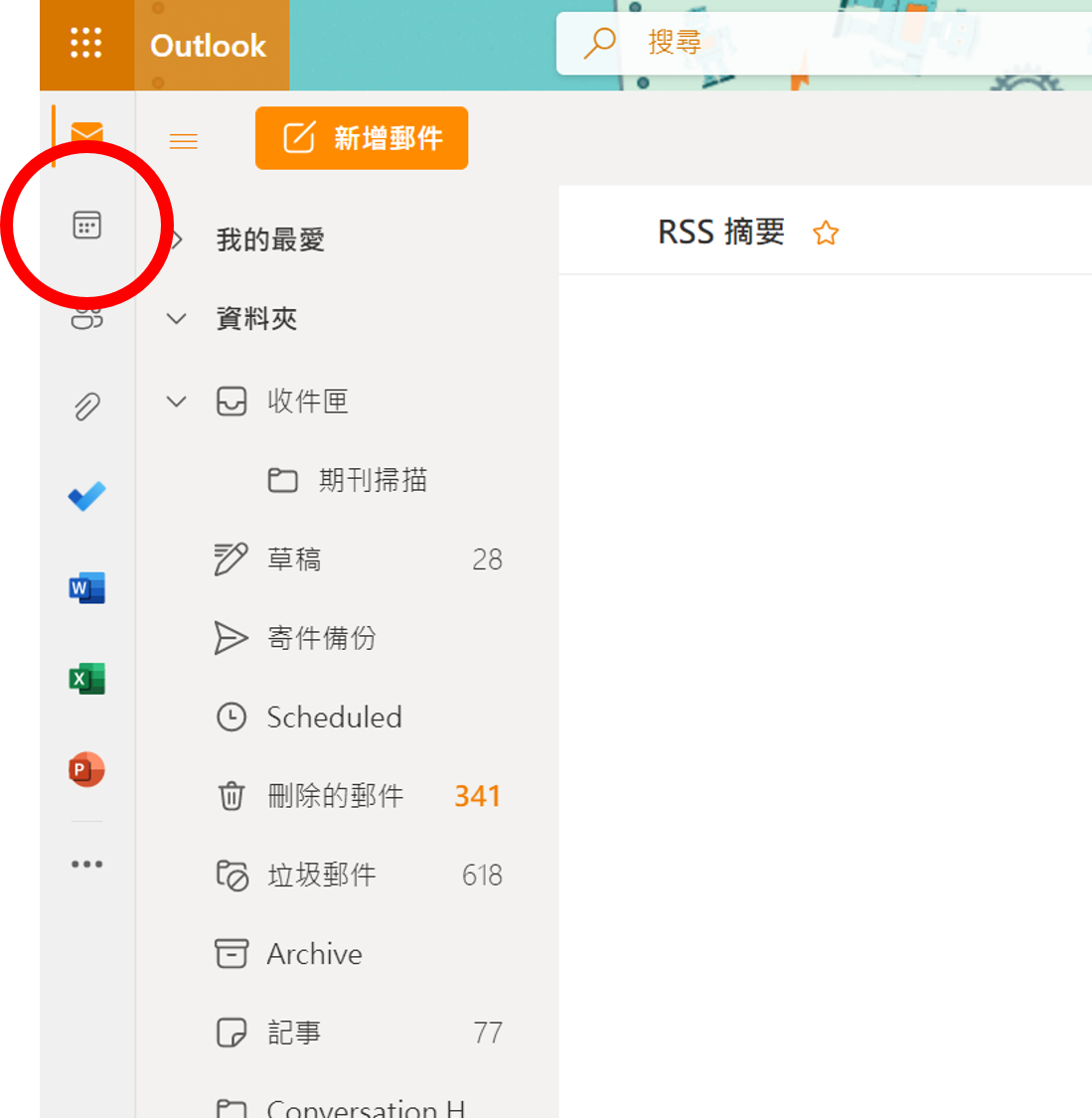
- Click on Calendar to access the scheduling interface.
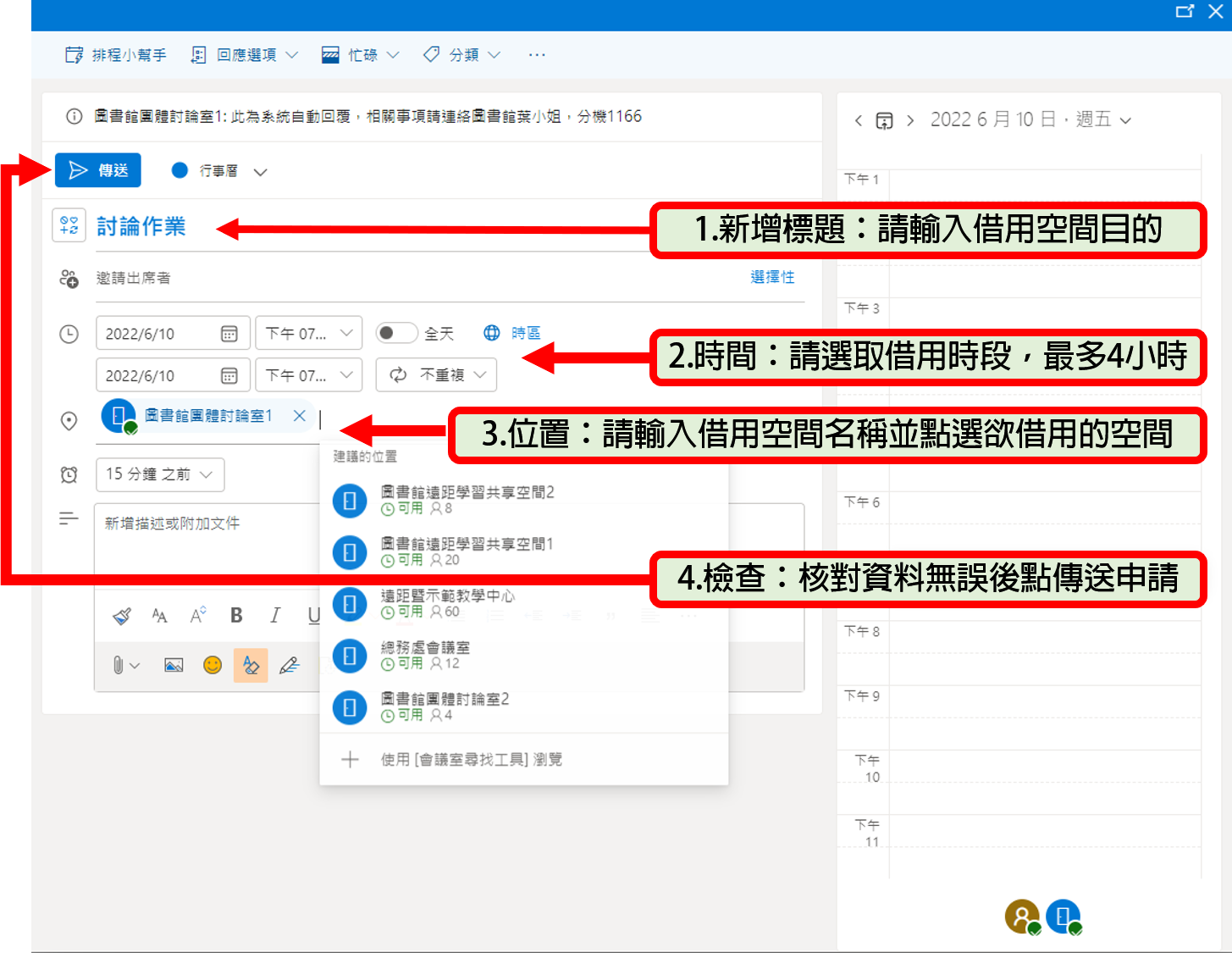
- Select New Event on the top left corner.
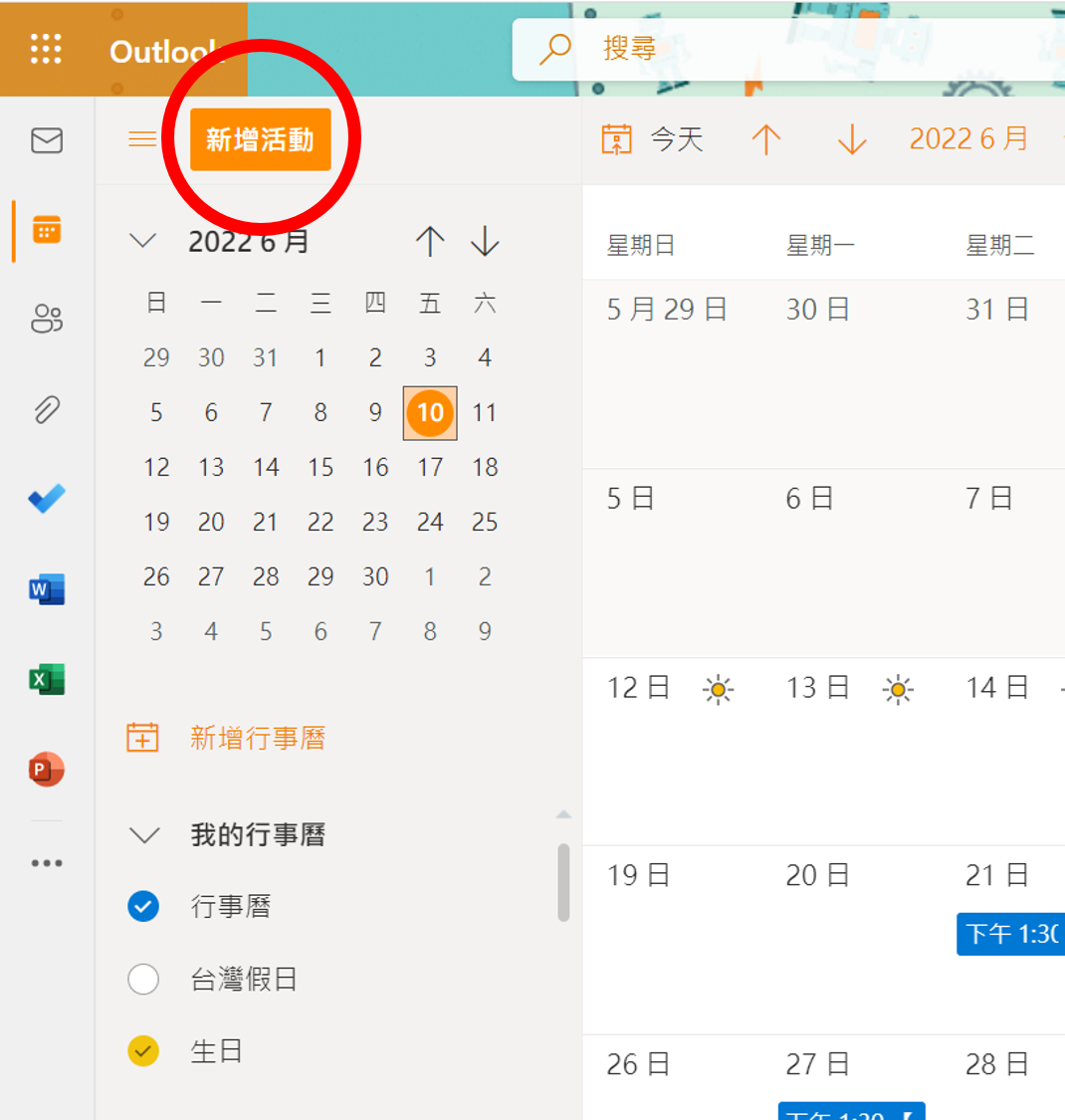
- Enter the required room names and reservation details following the numbered steps below, then submit.
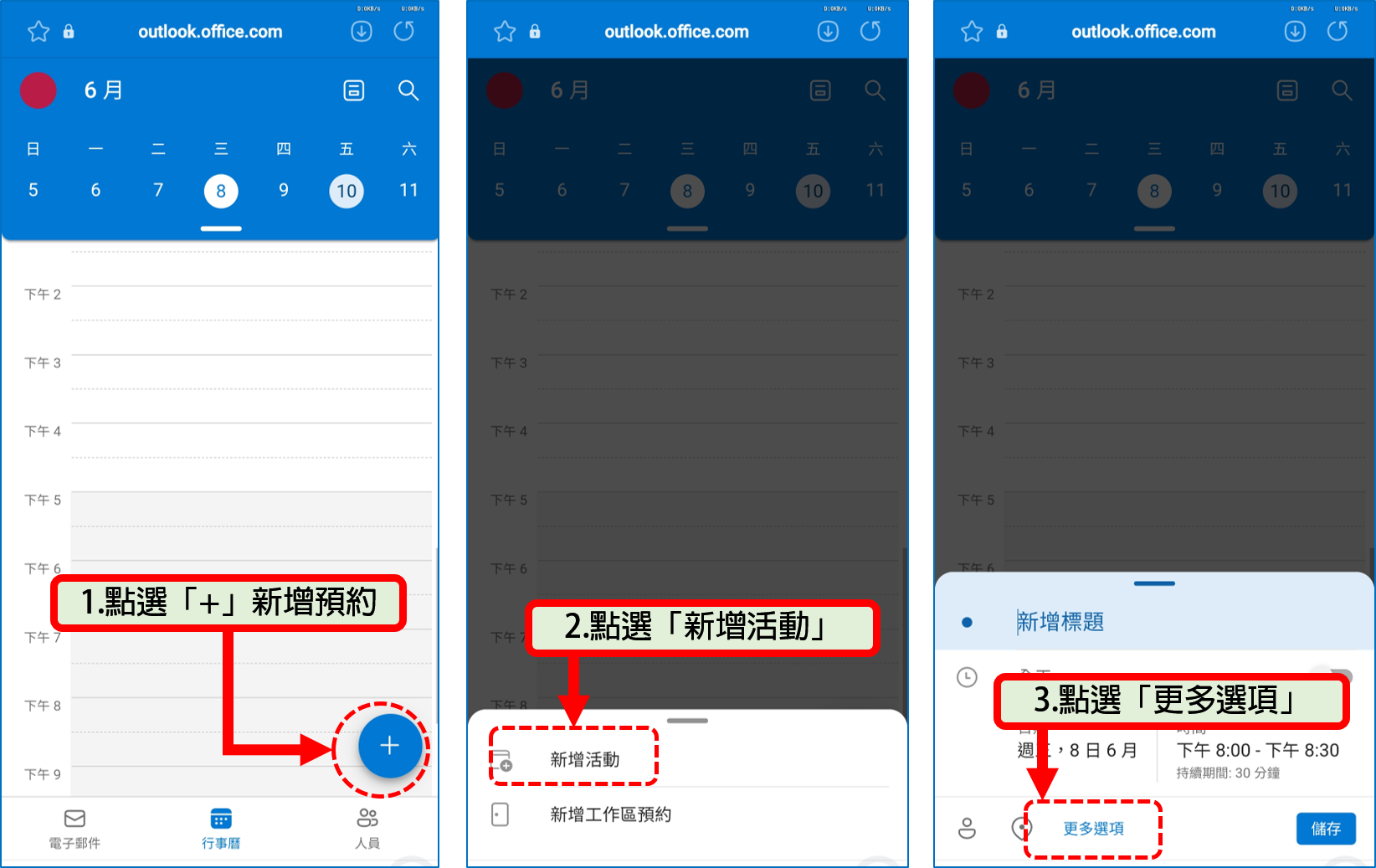
- Log in to the university's Webmail: WebMail (Outlook)
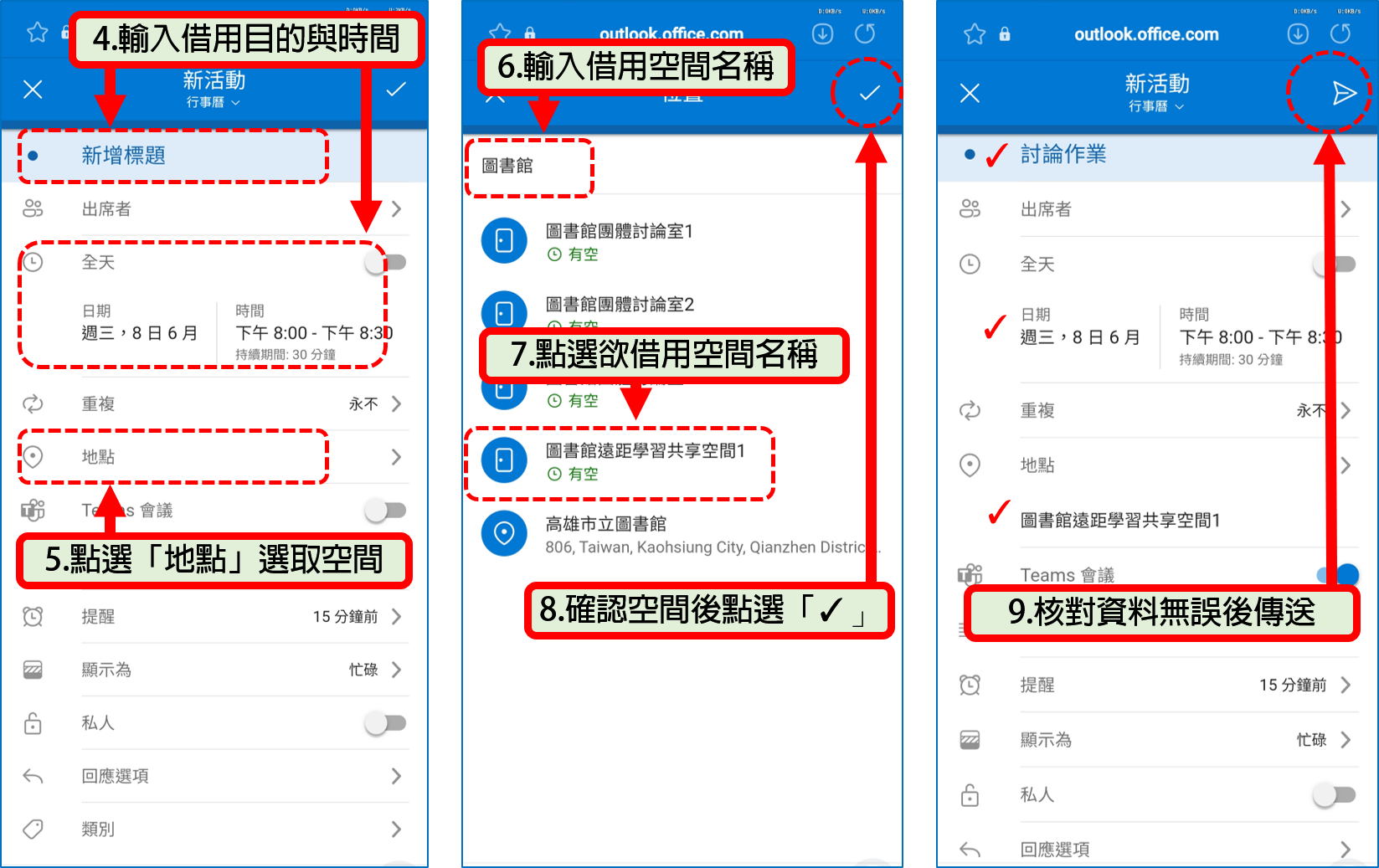
- Enter the required reservation parameters on your smartphone layout following the instructions below and submit.